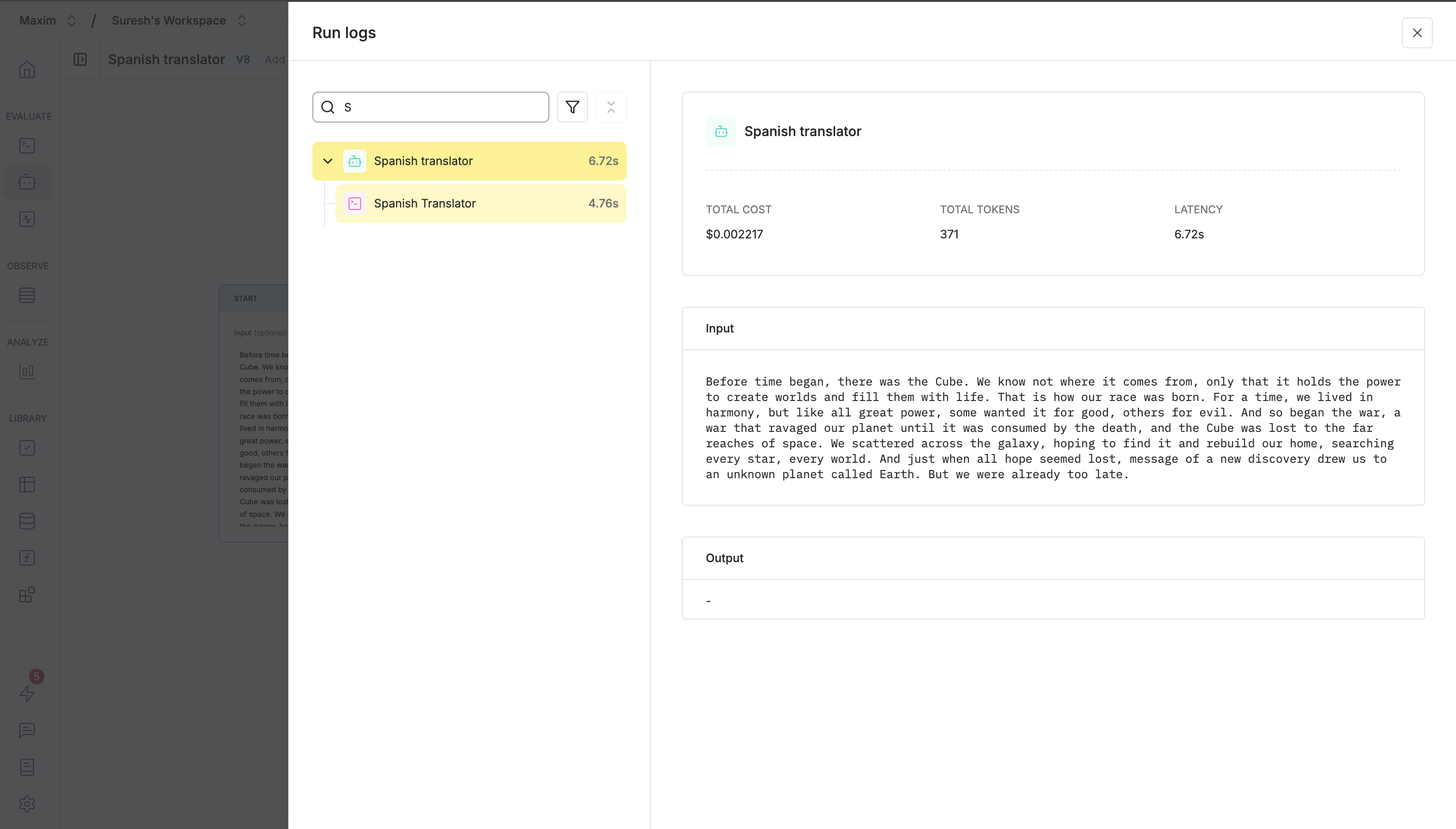
- The exact step that failed
- A descriptive error message
- Contextual information for debugging
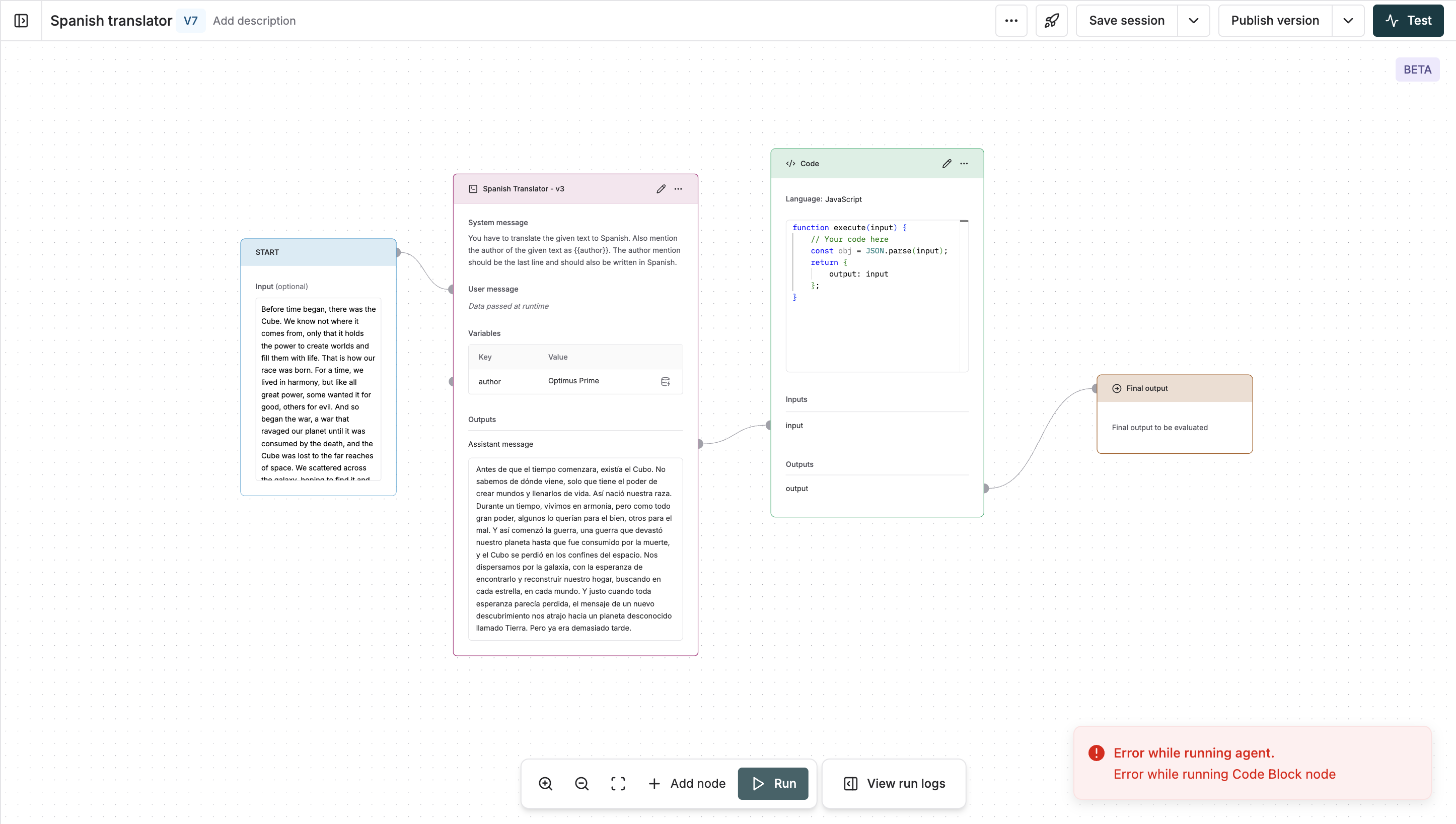
Click on the
View run logs button in the bottom toolbar to see the full execution log of the chain and the data passed in each node.
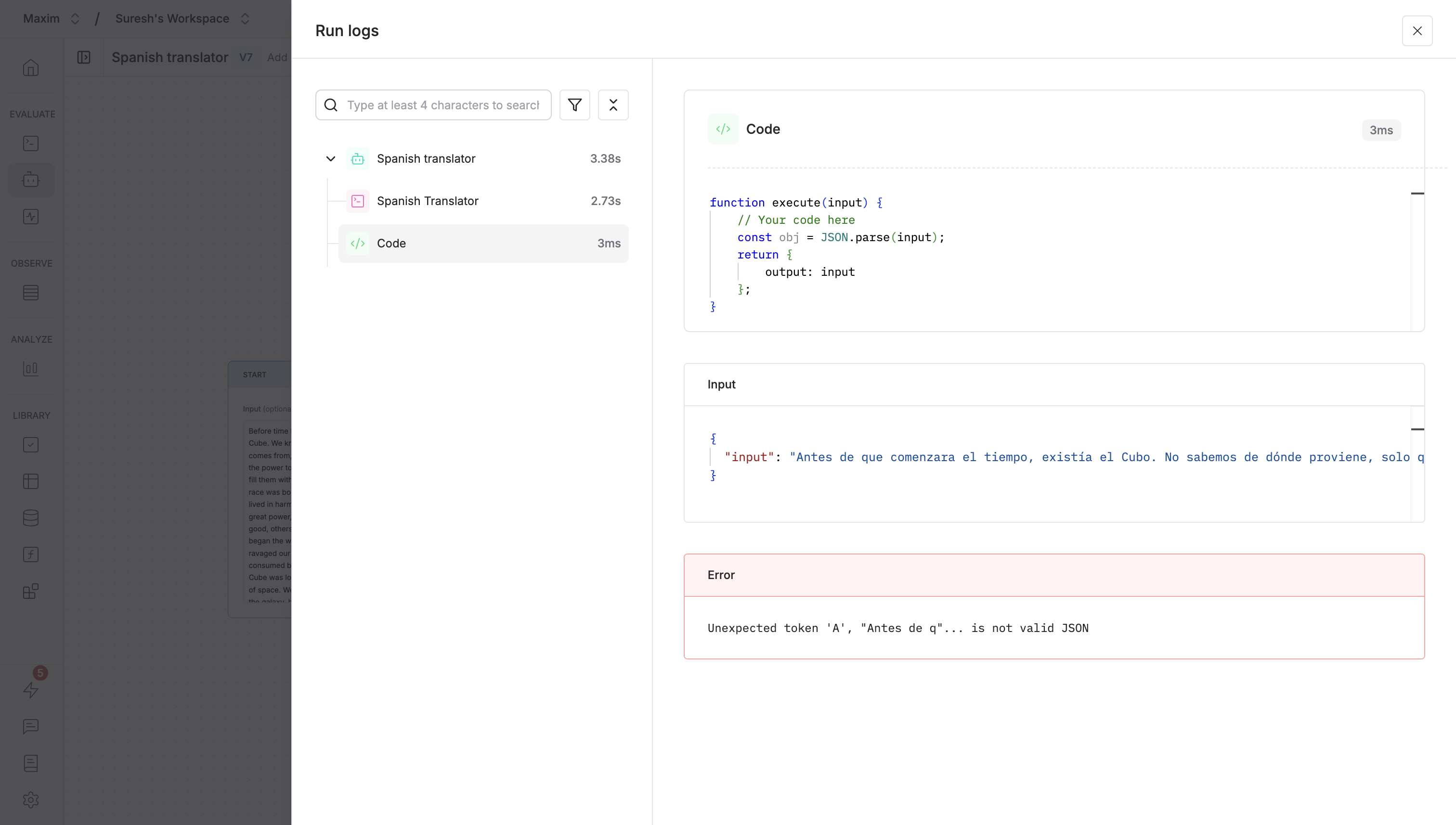
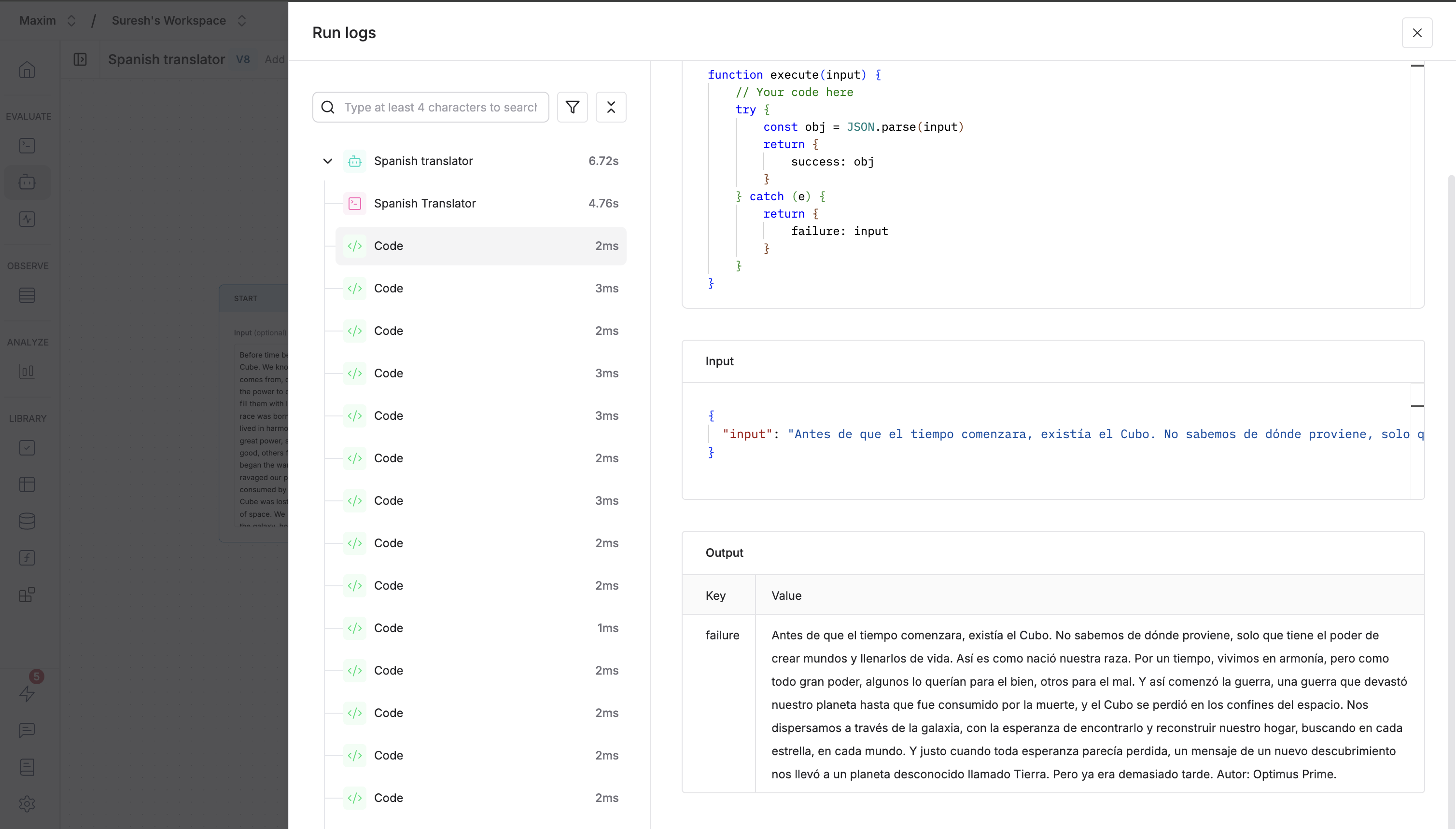
Debugging errors in loops
In cases where a node executes multiple times due to loops, view the execution log of each iteration and in cases of errors, use it to identify the exact inputs and outputs that led to the error. Let’s take an example use case where the code checks if the input is JSON parseable or not. And here, the code block has a bug where it sends back the data to the code block to send it in an infinite loop.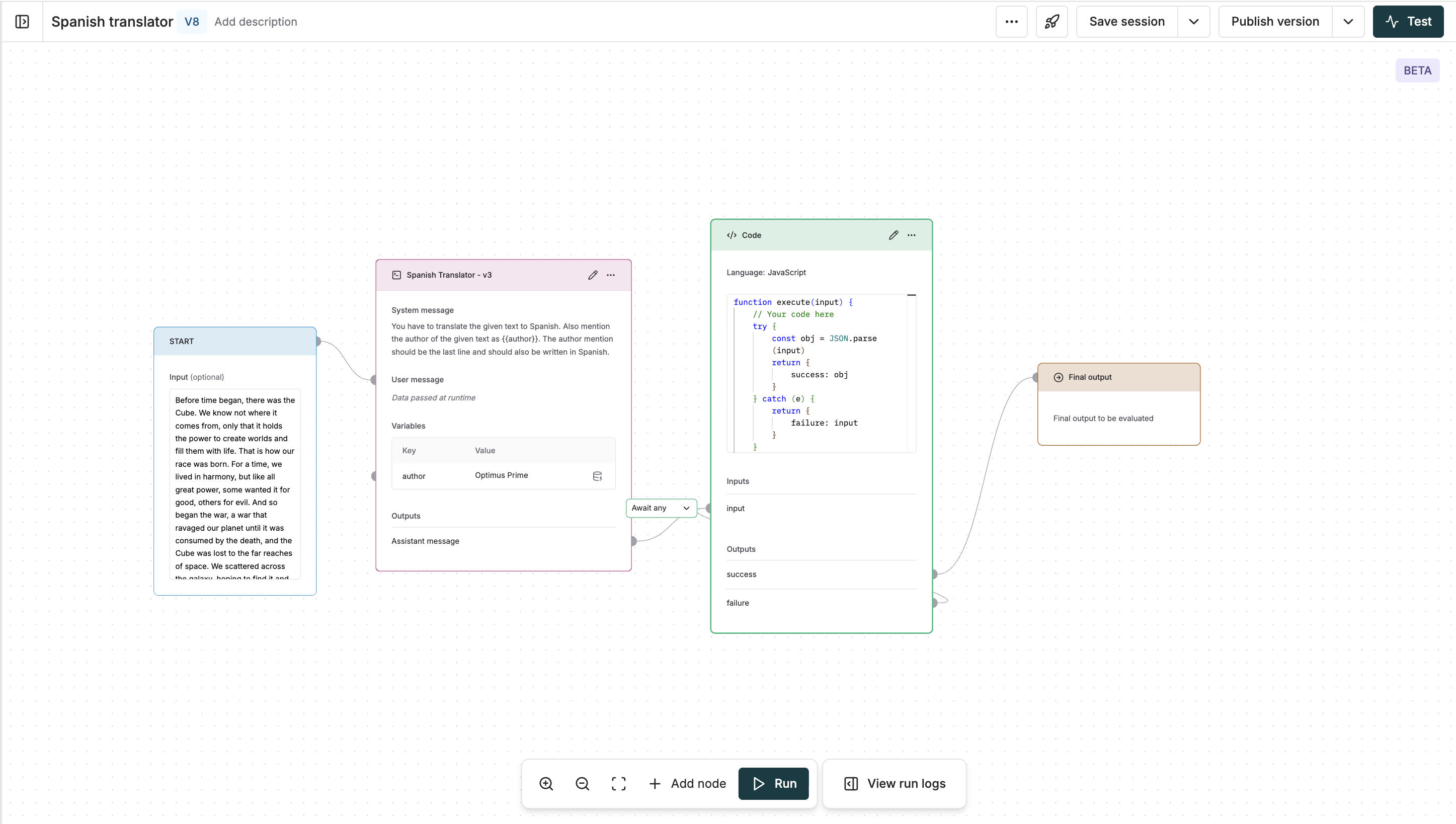
View run logs button in the bottom toolbar to see the data passed in each iteration.
Search and filtering
You can search and filter the execution log by using the search bar and the filters to filter specific types of errors.