
Why deploy Agents via Maxim
- Prompt experimentation - Create multiple versions of your Agents, and use a wide variety of models available on Maxim to test and compare their performance using your custom data.
- Deploy without code changes - Deploy the final version directly from UI—no code changes required. Use Maxim’s RBAC support to limit deployment permission to key stakeholders.
- Custom variables - Use custom variables to create rules to control which environments or user groups should receive the updates. This helps in setting up A/B tests or testing prompt variations internally before pushing to users.
Deploying an Agent
1
Navigate to Prompt Chains
Navigate to Evaluation > Prompts > Prompt Chains and open the prompt chain you want to deploy.
2
Access deployment options
Click the 🚀 icon in the header and choose to deploy the present version.
3
Add deployment rules
Add one or more rules for deployment e.g. Environment = prod.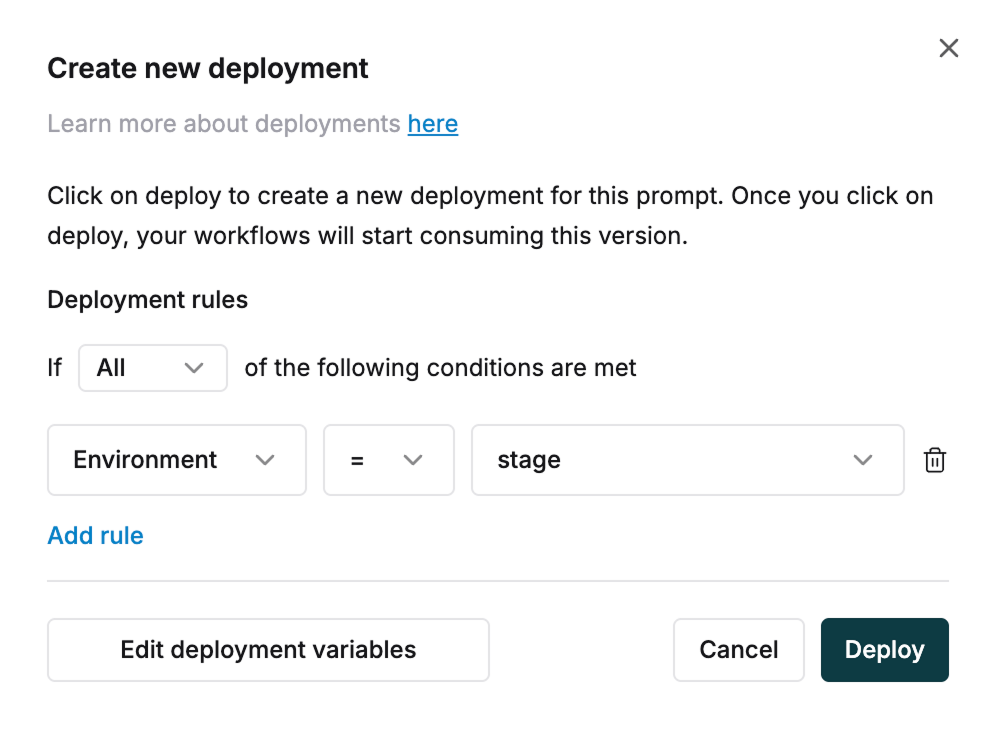
4
Edit deployment variables
Edit or define new variables by clicking “Edit deployment variables”
5
Define variable properties
Define the name and type of any variable. For variables of type 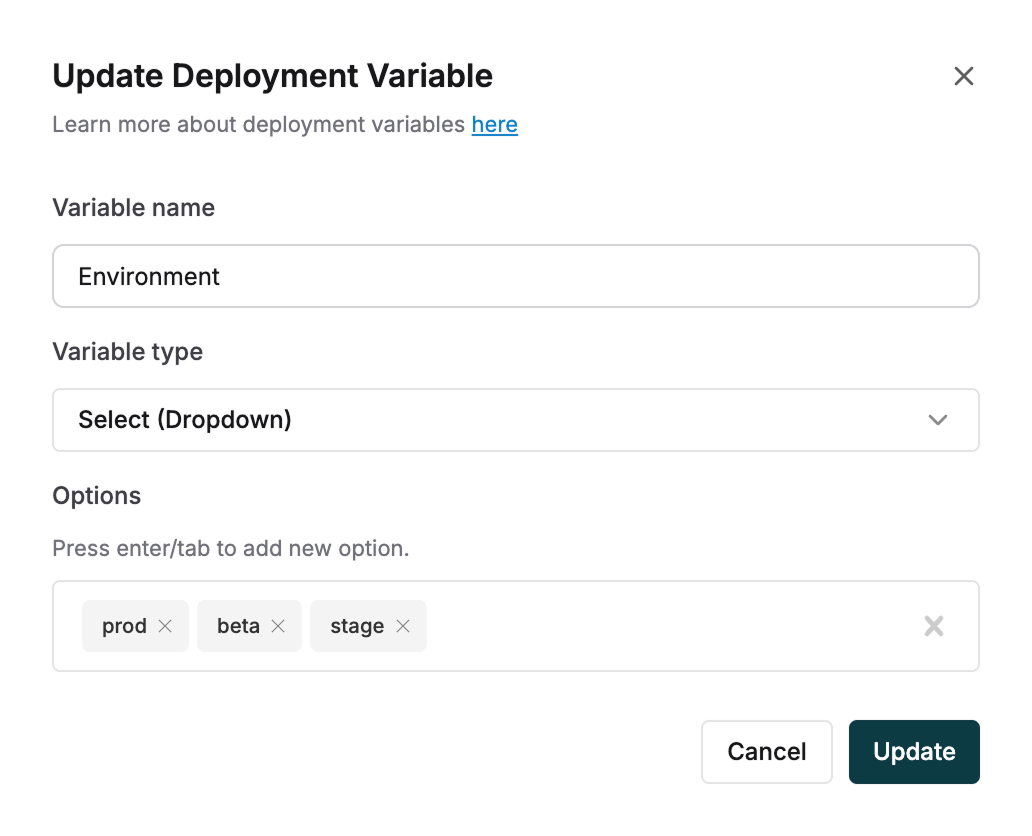
select provide possible options. e.g. Environment: Beta, Staging, Prod.6
Deploy conditionally
Every time you have a new version to deploy, use the variable based rules to deploy conditionally.
7
View existing deployments
View existing deployments for any prompt from the deploy button in the header.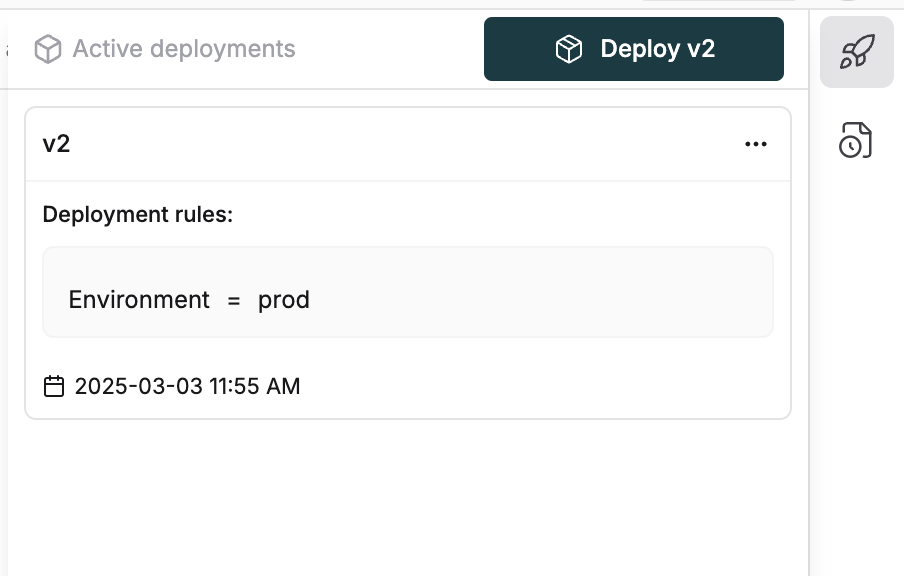
Fetching Agents via SDK
For building query to get Agent with specific deployment variables, you can useQueryBuilder.
Learn more about advanced prompt chain querying techniques.